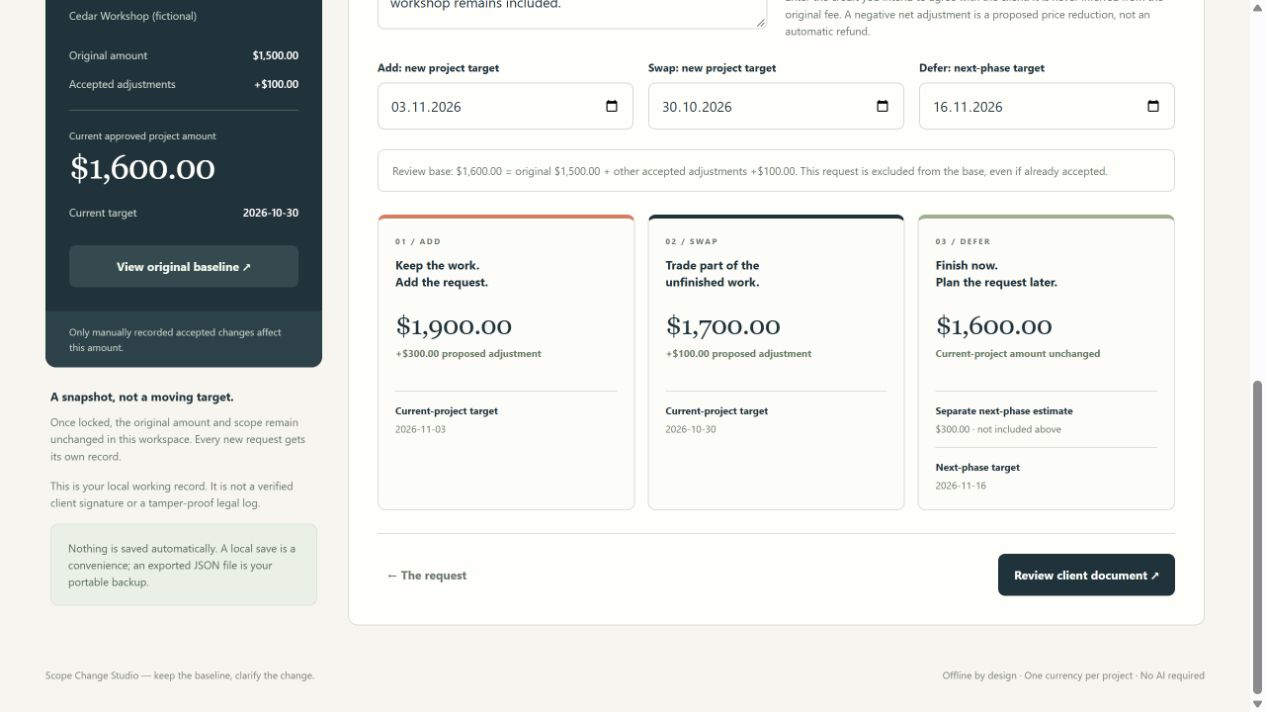
Compare three options
Show the new work, any removed deliverables and agreed credit, the proposed fee, and the planned date.
SCOPE CHANGE STUDIO
Help your client choose what happens next. Compare adding extra work, swapping a deliverable, or moving the request to a later phase—with the price and scope visible.
Offline HTML app · USD 12 one-time price · No account or API key
Original quote $1,500 + previously accepted change $100
$1,600Current agreed project value, before this new request
These are alternatives. A draft option does not change your accepted total.
AFTER THE ORIGINAL QUOTE
For solo web designers handling requests after kickoff. Bring in a Brief & Quote Studio project or enter a baseline manually. The original quote stays separate from your change log.
Show the new work, any removed deliverables and agreed credit, the proposed fee, and the planned date.
Keep draft, declined and deferred requests out of the accepted project total. Each status is your own record of the discussion.
Export a standalone client HTML document. Internal notes stay in your workspace. Print the exported page to PDF using your browser.
Export and restore JSON files. The app works locally without connecting to your client's account or sending messages for you.
THE ACTUAL APPLICATION
Actual app screenshot.
All example details are fictional.
SCOPE CHANGE STUDIO · VERSION 1
Standalone offline app, getting-started guide, single-user license, and a fictional example project and client proposal.
$12 USD
One individual user.
Applicable tax may be added at checkout.
BEFORE YOU START
No. Statuses and confirmation notes are entered by you. The app does not send email, verify the client's identity, collect electronic signatures or provide a tamper-proof audit trail. Keep the actual client confirmation and follow your agreement's change process.
No. You can enter the original project manually. Importing a compatible Brief & Quote Studio project JSON copies its baseline details without modifying the original file.
No. A negative delta is a proposed reduction in project price. The app does not process payments, determine refunds, calculate taxes or convert currencies.
A modern desktop browser with JavaScript, local-file access and downloads enabled. The interface and guide are in English. PDF output uses the browser's printing feature. Keep JSON backups of your projects.
Email sszayniddinov@gmail.com for product questions or technical help. The purchase terms provide a 14-day refund request window once sales open.
START WITH THE PROCESS
A worked example and client email explain how to discuss add, swap and defer options before you use any tool.
When a client asks for more ↗BEFORE KICKOFF
Brief & Quote Studio helps you define scope, calculate a fee and export a first project proposal.
Explore Brief & Quote Studio ↗